LuxeHQ React Native iOS App for Realtors
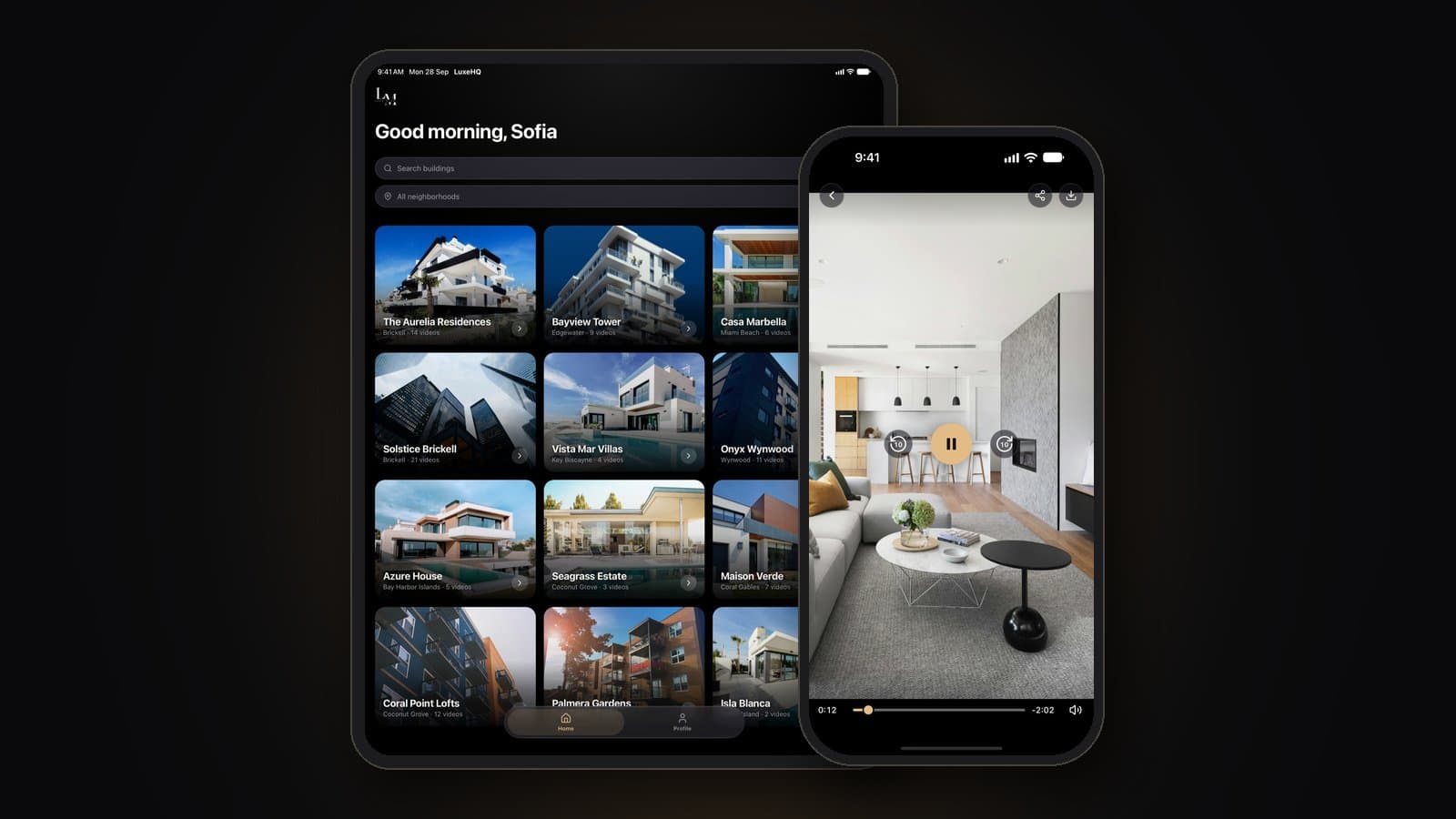
A cross-platform React Native app, live on iPhone and iPad, that gives Luxe Miami agents a video walkthrough of every unit in every building, ready to share with clients through a secure browser link.
Industry
Real Estate
Timeline
4 weeks
Team
2 engineers, 1 designer
Category
Mobile App
Where things stood
Luxe Miami's agents represent luxury buildings from Brickell to Fisher Island, but unit walkthrough videos lived in camera rolls and shared drives. Finding the right tour during a client conversation took too long, sending one meant large files that often failed in Messages, and new footage shot at a showing had no reliable way back to the rest of the team.
How we got there
A video library organized the way agents talk
Built a React Native app, shipped first to iPhone and iPad, where every building opens to its unit tours, labelled by floor plan, unit number, beds, baths, and running time, with search by building name and a neighborhood filter covering nine Miami areas.
Secure share links clients open in the browser
Agents share any tour from the unit list or the player. The client gets a private, branded page with the agent's name, the building, and the floor plan, with no app, account, or sign-in, and the link expires after seven days.
Upload from the showing, not the office
Agents add a unit and pick videos straight from their library. Uploads run in the background, resume if the app closes or the signal drops, show progress in a Lock Screen Live Activity, and send a notification when the video is processed and ready to watch.
What changed
iPhone + iPad
Layouts for both screens, from one React Native codebase
7 days
Share-link lifetime, with no app or sign-in for clients
9
Miami neighborhoods agents can filter buildings by
Tech stack
React Native
One cross-platform codebase, ready for Android without a rewrite.
iOS & iPadOS
Live on iPhone and iPad, with a three-column grid and wider player on iPad.
Adaptive video streaming
Starts every walkthrough quickly and keeps it sharp on any connection, with manual quality selection.
Background uploads
Keep uploads running when the app closes and resume them after a dropped signal.
Live Activities
Show upload progress on the Lock Screen on iOS 16.2 and later.
Push notifications
Tell agents when a new upload has been processed and is ready to share.
Next.js
Serves the client-facing share pages, with link previews in Messages and WhatsApp.