Apartment website design that fills your units
Most apartment websites look fine and still lose renters. Floor plans are a PDF, prices are "call for details", and the only way to book a tour is a contact form that lands in a shared inbox. We design and build apartment websites the way renters actually shop: by neighborhood, price, and move-in date, with live availability, floor plans they can compare, and a tour or application one tap away. It's the same thinking behind the building pages we built for CitySeek, Miami's rental marketplace.
Part of our real estate and proptech software work.
Apartment web design for every kind of rental property
Single apartment communities
A site for one building that sells the lifestyle and the floor plans, shows what's available this month, and books tours without a phone call.
Multifamily portfolios
One website for every building you manage, with a shared search across properties and a page per community that ranks on its own.
Property management companies
A company site for owners and renters alike: available units across your portfolio, owner services, and a portal for maintenance requests and documents.
Luxury and condo rental buildings
High-end buildings where photos, video tours, and amenities do the selling, and where renters expect the site to feel as polished as the lobby.
New buildings in lease-up
A launch site that collects interest before move-ins start, then switches to live availability and online applications when units open.
Rental listing marketplaces
When one building isn't enough: a marketplace across many owners and buildings. See our rental app development work for that model.
Apartment building pages we built for CitySeek
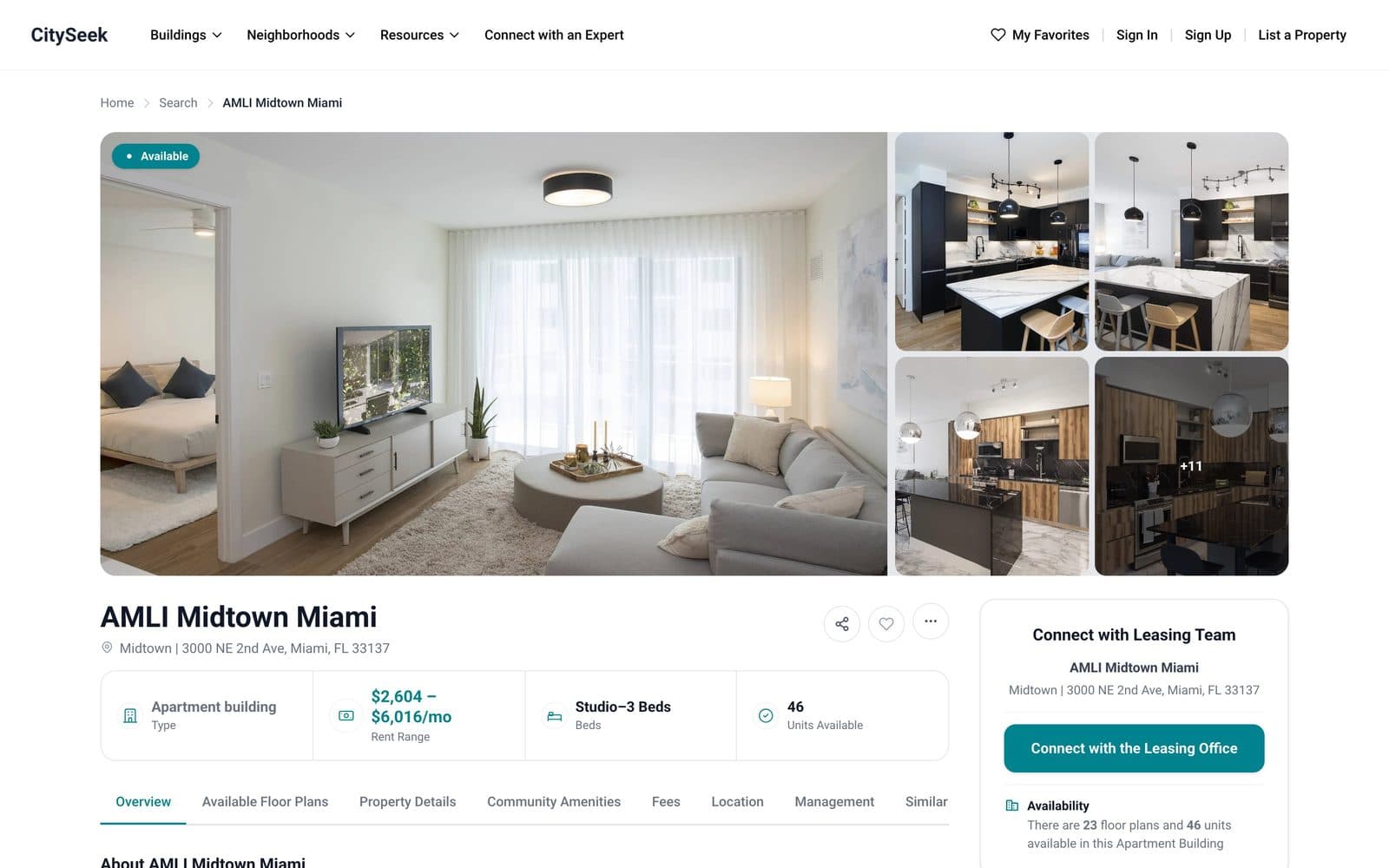
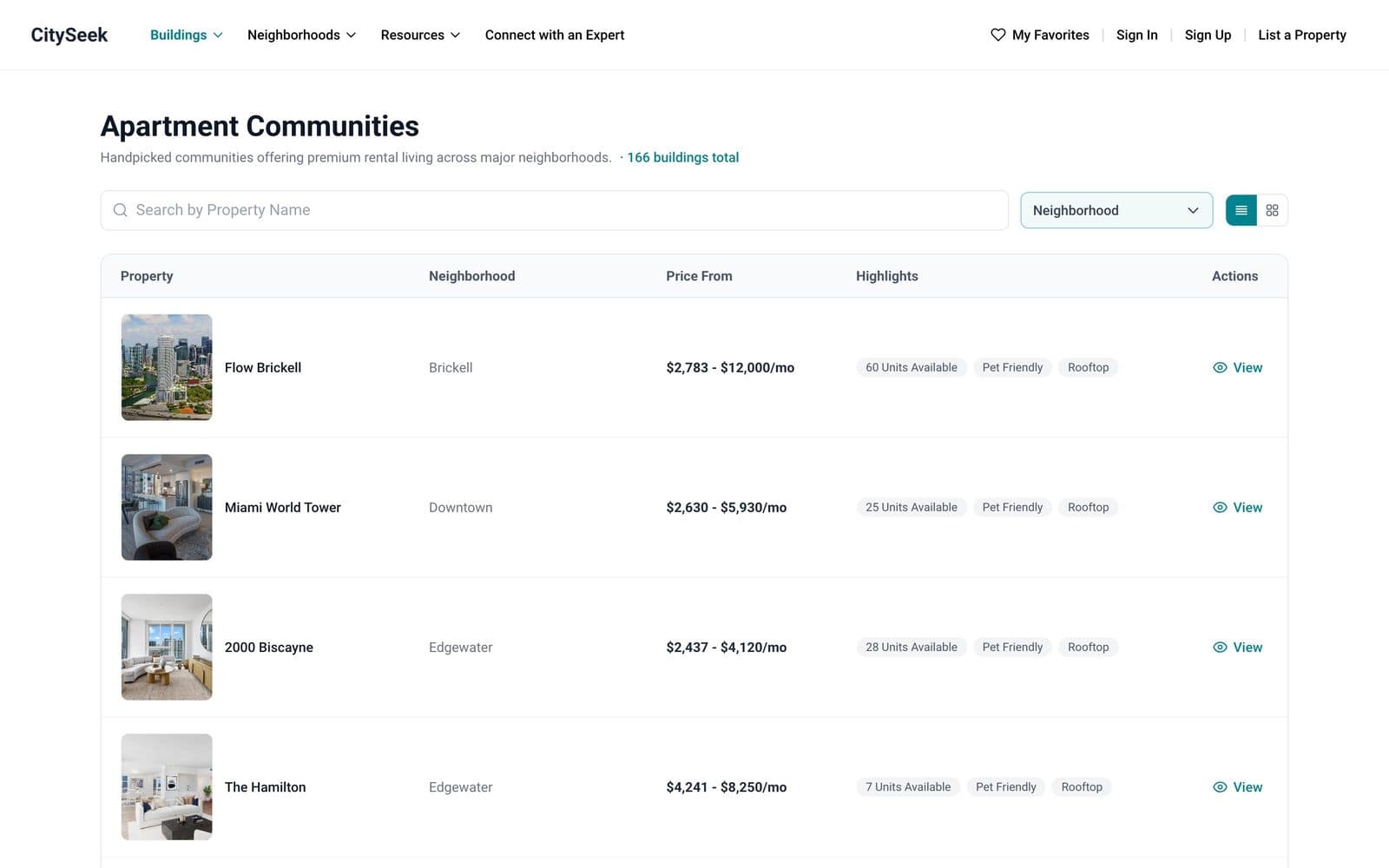
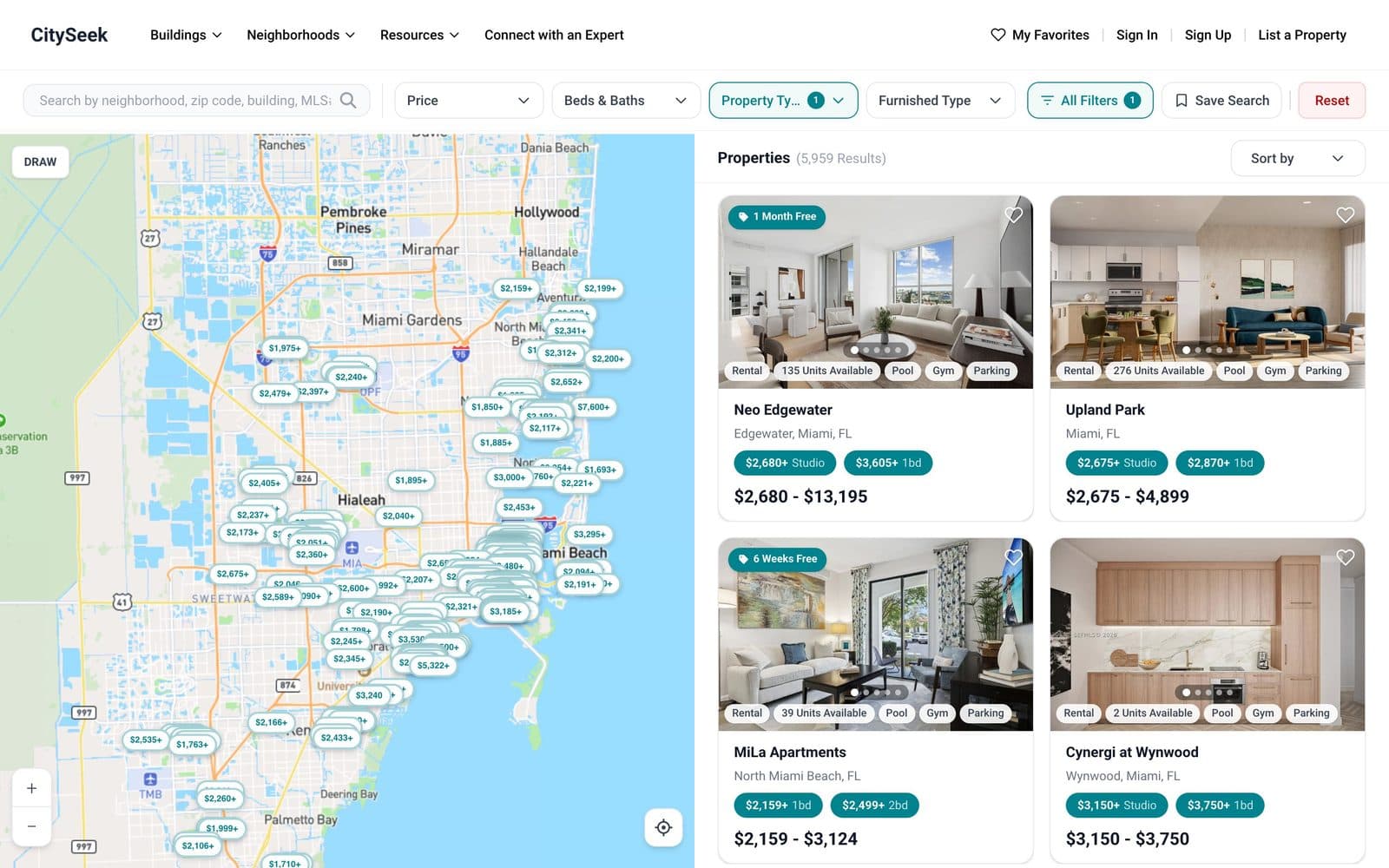
CitySeek is a Miami rental marketplace we designed and built. Every apartment community on it gets a building page with photos, a rent range, floor plans, amenities, fees, and a direct line to the leasing office. The screenshots and numbers below are from the live site in October 2026.
18,000+
Active rental listings
166
Apartment communities
40+
Miami neighborhoods
7
Questions in the neighborhood matching quiz
Apartment rental website design features
Floor plans renters can compare
Every plan with its square footage, beds and baths, starting price, and units available, in a table or a grid instead of a PDF download.
Live availability and pricing
Units and rents pulled from Yardi, RealPage, Entrata, AppFolio, or your own system through their API or a scheduled data feed, so the site never shows a unit that's gone.
Tour booking
In-person, self-guided, or video tours booked straight from a unit or floor plan, routed to the leasing team with the unit already attached.
Online applications
Renters apply and pay the application fee online, then hand off to the screening provider you already use for income and background checks.
Amenities, fees, and location
Amenities grouped the way renters scan them, every fee listed up front, and a map of what's nearby. Clear fees mean fewer surprised applicants.
Search across buildings
For portfolios: one search with map view and filters for price, beds, move-in date, pets, and furnished units, across every property you manage.
Local SEO built in
Fast pages, a page per building and neighborhood, and ApartmentComplex structured data, so the site can rank for "apartments in" searches in your area.
Lead tracking for the leasing team
Every inquiry, tour, and application in one place, with the source it came from, so you can see which pages and ads actually fill units.
What Miami renters browse on CitySeek
Condos outnumber apartment community listings on CitySeek. In a market like that, an apartment building's own website has to beat individual condo owners on the things they can't offer: live availability, every fee shown up front, real floor plans, and a tour that books itself.
| Category | Listings |
|---|---|
| Condos | 8,325 |
| Apartment communities | 5,960 |
| Houses | 1,653 |
| Other | 1,548 |
| Townhouses | 1,029 |
How a renter moves through a good apartment website
Every step is a place renters drop off. The site's job is to make each one quick.
Step 1
Find the building
From a Google search, a map, or a neighborhood page.
Step 2
Compare floor plans
Size, layout, and starting price side by side.
Step 3
Check availability
Real units, real prices, and move-in dates.
Step 4
Book a tour
In person, self-guided, or on video, in a few taps.
Step 5
Apply online
Application and fee online, screening handed off.
Step 6
Sign and move in
Lease details and move-in steps in one place.
How we run this engagement
Discovery
Walk through how renters find you today, where leads drop off, and which property system holds your units and prices.
Design
Wireframes for the home page, floor plans, unit, and tour flow, reviewed with your leasing team before anything is built.
Build
Pages, the availability sync, and the tour and application flow, with preview links you can click through as we go.
Launch and grow
Go live, submit the site to Google, and use real lead data to improve the pages that matter.
Built on a proven, modern stack
Next.js
Fast, search-friendly pages for buildings, floor plans, and neighborhoods.
Python/Django
The backend for units, tours, applications, and the leasing dashboard.
PostgreSQL
Stores buildings, floor plans, units, and leads as your portfolio grows.
Mapbox
Interactive maps for location pages and search across buildings.
Stripe
Takes application fees and holding deposits online.
AWS S3
Stores photos, floor plan images, and tour videos.
Apartment website design questions
Can't find what you're looking for? Reach out and we'll answer directly.
It depends on what the site needs to do. A marketing site for one community is a much smaller build than a portfolio site with live availability, online applications, and search across buildings. Our app development cost calculator gives a first range, and we confirm a fixed price after a short call.